Making a PowerPoint presentation usually eats up hours of your week. You stare at a blank screen. You type out your ideas. Then you drag text boxes around until they look somewhat aligned. You spend too much time searching for a decent photo to put on the title slide. Now, you have a new option. You can design everything by hand, or you can let artificial intelligence build your deck.
People want to know which way actually works better. Is the new tech ready to replace a real person? We are going to break down both methods. This presentation software comparison will look at speed, cost, and the final look of your slides. You will learn exactly when to use software and when to rely on a human brain for your next big meeting.
The Pros and Cons of Fully Automated AI Slide Generation
Letting software build your deck sounds like a perfect solution. You type a simple prompt into a text box. You press a button. Seconds later, you have twenty slides ready to go.
The biggest benefit here is pure speed. It saves you a massive amount of time. You completely skip the dreaded blank page stage. This boost to PowerPoint efficiency changes how you plan your work week. You no longer need to block out an entire Tuesday afternoon to make slides for a Wednesday morning update. If you just need to show your internal team some quick numbers, an automated tool gives you a decent background and a clear structure.
These programs also help people who have no design skills. They handle the basic formatting chores that most people hate doing. You can expect the software to manage a few simple tasks well.
- They pick fonts that look fine together.
- They choose color palettes that do not clash.
- They drop in standard stock photos that relate to your general topic.
But you will find clear downsides when you rely solely on these tools. Fully automated generators often spit out boring slides. The layouts start to look exactly the same after you use the tool a few times. The software has a limited number of tricks.
Another major issue is accuracy. The text these tools write can be very strange. The programs just guess what words should come next based on your prompt. They do not actually understand your business. You have to read every single word they generate to make sure it is true. If you trust the software blindly, you will eventually show a slide with a completely wrong fact.
The design choices are also very rigid. These tools struggle to handle complex information. If you have a detailed chart or a very specific process diagram, the software usually messes it up. It wants to give you a title, three bullet points, and a picture. When you try to force it to do something custom, it breaks down.
Where AI Falls Short: The Need for Human Storytelling and Nuance
A presentation is not just a collection of facts. It is a story you tell to persuade people. This is the main battleground for AI vs human design. A computer program does not know your boss. It does not know the client you are trying to win over. It just sees data.
A human designer understands what matters most in your message. When you make a slide by hand, you know which single number needs to be huge and bold. You know which bullet points are just background information. A human understands emphasis. Software just tries to fit all the text evenly on the screen.
Think about an important sales pitch. You need to build trust. You want your slides to feel personal and connected to the exact problems your client faces. A person can weave a theme through the entire presentation. A person adds small visual jokes or clever references that fit the mood of the room. A computer program cannot read the room. It gives you a cold and standard result.
Nuance is completely lost on automated tools. If you are explaining a sensitive topic like budget cuts or company changes, tone matters. The way your slides look must match the serious nature of your talk. An automated generator might randomly insert a cheerful graphic because it saw the word growth in your text. You need human judgment to catch those mistakes. You need a real person to ensure the slide quality matches the moment.
A human also knows what to leave out. Software tends to fill every empty space. It thinks more text and more shapes equal a better slide. A good human designer knows that empty space helps the audience focus. They will cut words down to make the core idea pop. The machine simply lacks this editorial instinct.
Cost and Benefit Analysis of AI Tools Versus Professional Design Services
Deciding between software and a real designer often comes down to budget and timing. You have to weigh what you spend against what you get.
Using an automated slide generator is very cheap. Many tools offer basic plans for a few dollars a month. Some are even included in the software packages you already pay for. When you use these tools, the cost per presentation is almost zero. The time cost is also tiny. You spend maybe ten minutes typing prompts and tweaking the output. For daily meetings, weekly syncs, or simple classroom lectures, this makes perfect sense. Spending hundreds of dollars on a basic internal update is a waste of money.
Professional design services sit on the opposite end of the scale. Hiring an agency or a freelance designer costs real money. You might pay hundreds or even thousands of dollars for a single presentation. The process also takes much longer. You have to wait for the work to be done. The steps are much slower.
- You have to brief the designer on your goals.
- You wait days for the first drafts.
- You give feedback and wait for revisions.
So why do people pay for manual design? They pay for it because high stakes demand high quality. If you are standing in front of investors asking for a million dollars, you do not want a cheap slide deck. You want perfect slide quality. You want custom graphics that explain your product perfectly. You want everything aligned to your exact brand guidelines.
A professional designer delivers a polished product that makes you look highly competent. When the deal on the table is huge, the cost of a designer becomes a tiny fraction of the potential win. If you lose a massive client because your automated slides looked messy and generic, that cheap software suddenly feels very expensive. You have to match the tool to the task. Cheap and fast wins the daily grind. Expensive and polished wins the big deals.
The Hybrid Approach: Using AI for Speed and Humans for Polishing
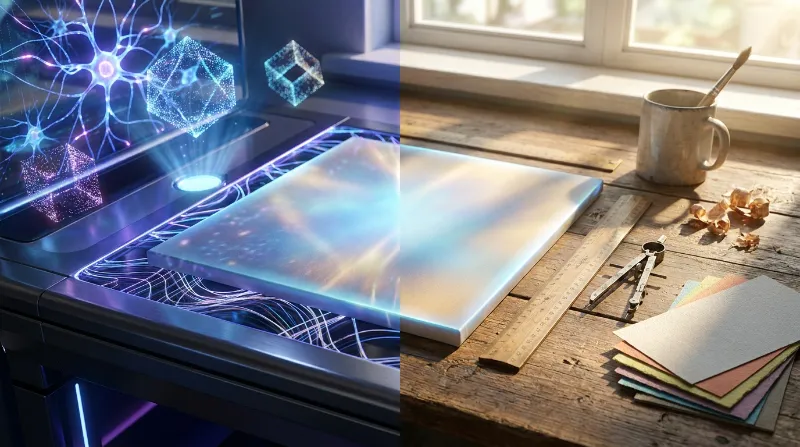
You do not have to pick just one side. The smartest way to build your next presentation is to combine both methods. This hybrid approach gives you the best parts of both worlds. You get the raw speed of a computer and the careful eye of a human.
Start your project with an automated tool. Give it your main topic and let it build the structure. Let it create the title slides, the section headers, and the basic layouts. Let the software do the boring work of setting up the document and dropping in text boxes. This gets you past the blank page in two minutes.
Once the rough draft is done, you take over. You become the editor. You read the text and fix the strange wording. You delete the generic stock photos and replace them with real pictures of your product or team. You adjust the colors so they actually match your official company logo.
This is where human design truly shines. You spend your time doing the high level thinking instead of doing grunt work. You can look at the flow of the slides and decide if the story makes sense. You can take a boring bulleted list that the software generated and turn it into a clear custom diagram.
By mixing the two methods, you cut your creation time in half. You still end up with a beautiful and smart presentation. You use the software as an assistant, not as a replacement. The computer builds the frame, and you paint the house.
Choosing the right method depends entirely on what you need to achieve. Simple internal meetings run just fine on automated slides. Major keynote speeches require the touch of a real designer. For everything in between, start with software and finish by hand. This balanced strategy keeps you efficient while making sure you always look professional in front of your audience.